Showing posts with label tulips. Show all posts

Monday, May 13, 2013

Mother Nature's Not Happy!


Last week I was cycling in shorts, and yesterday I drove through blizzard conditions to visit my Mom for Mother's Day.  Ironically, I took her to Rockway Gardens in Kitchener to see all the beautiful tulips.

It's a good thing I've got a tough little Momma!  We enjoyed our stroll through the gardens in spite of the awful, cold weather.


While there, someone asked if we knew the name of this beautiful flower.  Mom only knew the name in German, but as it turns out the direct translation, "King's Crown" turns out to be pretty accurate! "Fritillaria imperialis (Crown imperial or Kaiser's crown) is a species of flowering plant..."  Beautiful and smart...that's my Mom!

Linking up with Our World TuesdayTexture TuesdaySweet Shot Tuesday and Orange You Glad It's Friday.

Tuesday, April 16, 2013

Celebrate Spring..

Every the optimist,  in spite of ice storms and resulting power outages because of all of the trees and branches that came down, I am celebrating Spring... because I know that one day it will come!


Linking up with Our World TuesdayTexture Tuesday, and Sweet Shot Tuesday.

Sunday, April 7, 2013

Tulips Two Ways...

 For this weeks 2-For eDition, in addition to using two textures on the image I'd also do two different images, in two different ways.  I was intrigued by these purple tulips and the fact that one still looked so beautiful while all of the others had dropped their petals so I took this shot, and as I was processing it this quote came to mind...how perfect for that one tulip to hang in there in spite of what was happening around it.  :o)

The second image is another colour palette.  I just about went crazy making it because my colour squares kept coming up sort of soft and almost pastel and it just wasn't right.  I actually deleted all of the layers and started again...Note to self:  Make sure brush is at 100% opacity before stamping! :P


If you're interested in the steps I used for processing, you can see the screen shots of each image below.


Linking up with Our World TuesdayTexture Tuesday, and Sweet Shot Tuesday

Thursday, April 4, 2013

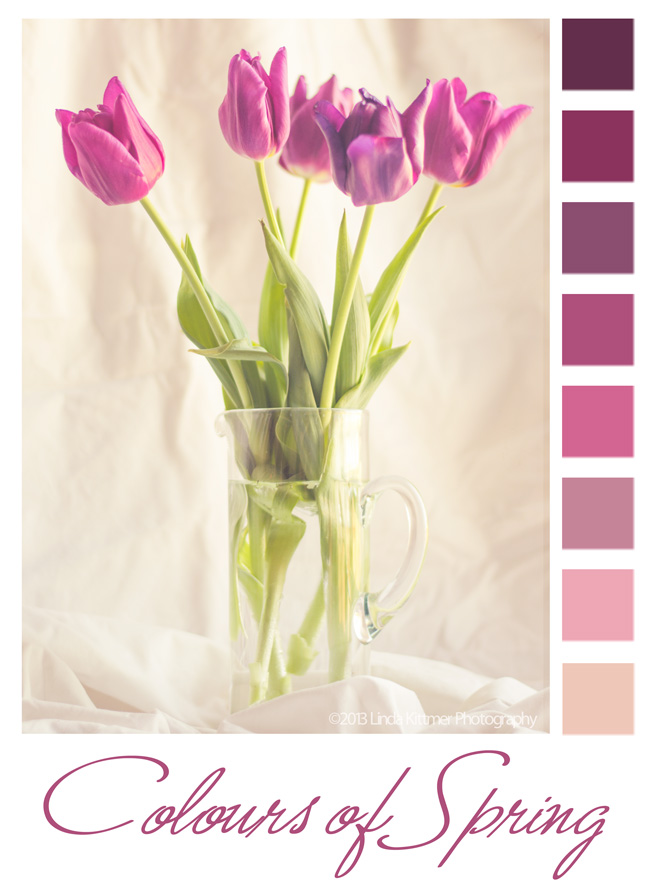
Colours of Spring

Today in Beyond Beyond or 2B as we refer to it, Kim taught us another, easier way to create colour palettes in Photoshop Elements.  I love creating these from my photos, and sometimes use them for inspiration in my fibre art or art journalling.
Raw image right out of the camera

I know I've told you this before, but I also love Lightroom 4!  It opens up so many incredible possibilities.  I've learned how to create my own presets, so that I can apply several steps of an edit to an endless number of photos.  Again thanks to Kim and 2B, I was able to create a preset today that would warm up an image and give it a bit of a hazy, dreamy effect.  The best part is that because I've created a preset for it, I can now apply that same effect the other images with literally just one click!

There are so many wonderful things that can be done when you combine the best of both of these programs.