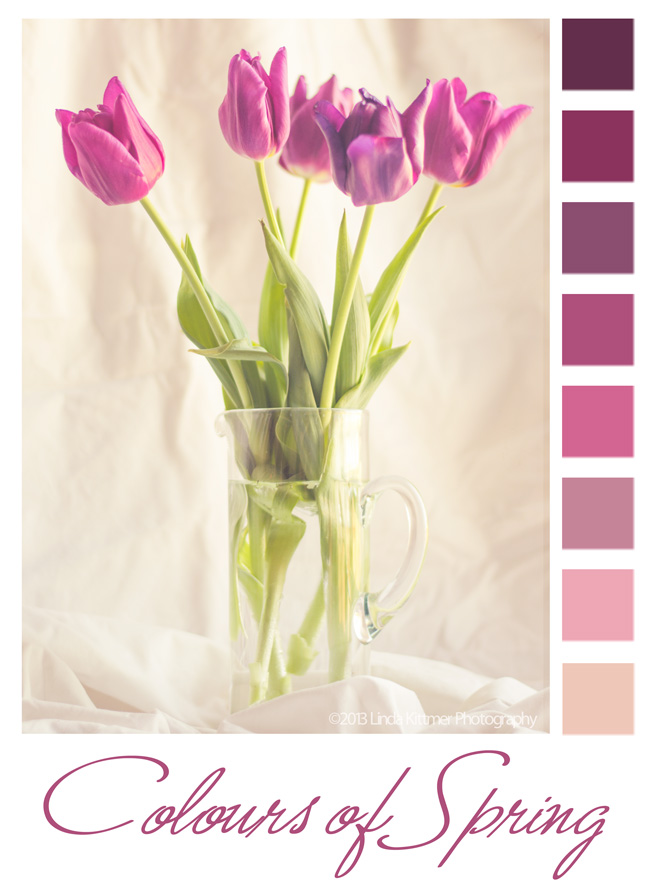
 Today in Beyond Beyond or 2B as we refer to it, Kim taught us another, easier way to create colour palettes in Photoshop Elements. I love creating these from my photos, and sometimes use them for inspiration in my fibre art or art journalling.
 |
| Raw image right out of the camera |
I know I've told you this before, but I also love Lightroom 4! It opens up so many incredible possibilities. I've learned how to create my own presets, so that I can apply several steps of an edit to an endless number of photos. Again thanks to Kim and 2B, I was able to create a preset today that would warm up an image and give it a bit of a hazy, dreamy effect. The best part is that because I've created a preset for it, I can now apply that same effect the other images with literally just one click!
There are so many wonderful things that can be done when you combine the best of both of these programs.